
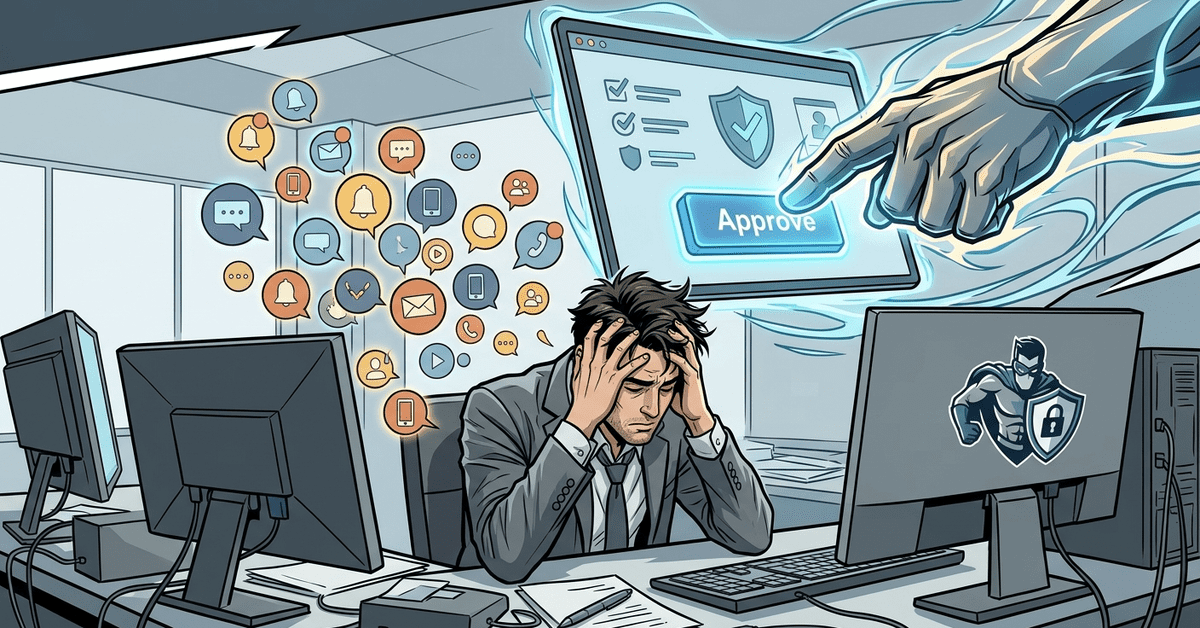
In September 2022, Uber got breached. An 18-year-old attacker bought a contractor’s password on the dark web for a few dollars. The contractor had MFA enabled. Uber’s MFA required pushing “approve” on a mobile app. The attacker couldn’t push the button. So he pushed the button from his side.
He sent a push notification to the contractor’s phone. Denied. He sent another. Denied. He sent dozens. Then he sent the contractor a WhatsApp message pretending to be from Uber IT, saying if they just approved one of the prompts, the notifications would stop. The contractor, who had been pestered for over an hour at that point and wanted to go back to whatever they were doing, clicked approve.
The attacker was in. From there, he pivoted into Uber’s internal systems, found a PowerShell script in a network share with hardcoded admin credentials for Uber’s privilege management system, and escalated from there. Uber’s own incident write-up and the New York Times coverage laid out the whole chain.
The MFA didn’t fail because the math was weak. It failed because the user said yes.
This is the current dominant attack against MFA
The attack has several names. MFA bombing. MFA fatigue. Push fatigue. Push bombing. CISA has issued guidance on it and calls it push-based MFA compromise. Whatever you call it, the mechanism is the same. The attacker has a valid password. They trigger the MFA prompt. They keep triggering it. Eventually the user either clicks approve to make it stop, or they click approve because they assume it’s a legitimate prompt they missed earlier.
The reason this works is that push-based MFA has no context. The prompt says “approve or deny.” It doesn’t say “from where.” It doesn’t say “for what.” The user gets a notification at 2 a.m. while they’re sleeping. They look at their phone, see “Microsoft wants you to approve a sign-in,” and reflexively tap yes because it’s not worth thinking about.
This has happened to accounts at every size of firm. It happens to IT professionals. It happens to security professionals. The pattern is predictable enough that I’ve seen it three times in the last year at small firms, and I’m one guy with a small client base. At scale, it happens constantly.
Number matching is the floor
Microsoft and most other major providers now support something called number matching. When a user initiates a login, the login screen displays a two-digit number. The authenticator app on the user’s phone shows three possible numbers and asks them to pick the one shown on the login screen. If the user isn’t the one logging in, they have no idea which number to pick. If they guess, they guess wrong. If an attacker triggers the prompt, the user sees three numbers and no matching context, and they don’t approve.
Number matching is the default for Microsoft Authenticator as of 2023 for most tenants. But a lot of firms haven’t verified that it’s on, and some older Azure AD configurations still allow the no-context push as a fallback.
Check your tenant. In the Entra admin center, go to Authentication methods, look at the Microsoft Authenticator policy, and confirm that number matching is enabled and required. If it’s configured as “enabled by default” but lets users disable it, that’s not good enough. Require it.
Duo, Okta, and Cisco’s Duo Security product all have equivalent features. Turn them on. The setting has different names in different products. The underlying idea is the same. The user has to prove they’re actually the one initiating the login.
But the real fix is phishing-resistant MFA
Number matching is an improvement. It’s not the end state. The end state is phishing-resistant MFA, which means hardware security keys or passkeys. These methods don’t rely on the user deciding whether a prompt is legitimate. The cryptography only works if the user is actually on the real login site for the real service, using the real device. An attacker can’t trigger a valid authentication from their end because the math doesn’t cooperate.
CISA’s guidance on MFA is unusually direct about this. Not all MFA is created equal. SMS is the weakest tier. Push approval without context is the next weakest. Push with number matching is a middle tier. Phishing-resistant methods (FIDO2 security keys, passkeys, Windows Hello for Business) are the strong tier.
For a small firm, the realistic path is number matching on push for most users, security keys for high-risk accounts like administrators and partners, and passkeys rolled out as the software supports them. Microsoft 365, Google Workspace, and most major SaaS tools now support passkeys natively.
Number matching costs nothing to enable. Security keys are around $50. Passkeys are free. None of this is a budget problem.
The Uber contractor didn’t do anything stupid. He received a real login prompt for a real service, over and over, late at night, and eventually the friction of denying them outweighed the caution. That’s human behavior, not a training failure. You can’t train people out of being human. You have to put controls in place that don’t rely on people making the right decision when they’re tired and annoyed.
If your firm’s MFA is the old-style push-and-approve with no context, you have a live vulnerability. Not a theoretical one. Not a someday one. An attacker with a stolen password and an hour to spare can probably get through it tonight. Turn on number matching today. Plan the move to phishing-resistant MFA for the accounts that matter most.